Appearance
Working days
The days nobody works. Verifying a project lays its estimates out around them.
Administrators only. The setting is workspace-wide.
Why this page exists first
Every estimate in Crosdesk is in working days, and every date is computed rather than typed. So before a plan can be right, Crosdesk has to know which days count.
Set this up before verifying your first project. Changing it later is fine — it changes what future plans compute — but it does not retroactively move dates that were already laid out.
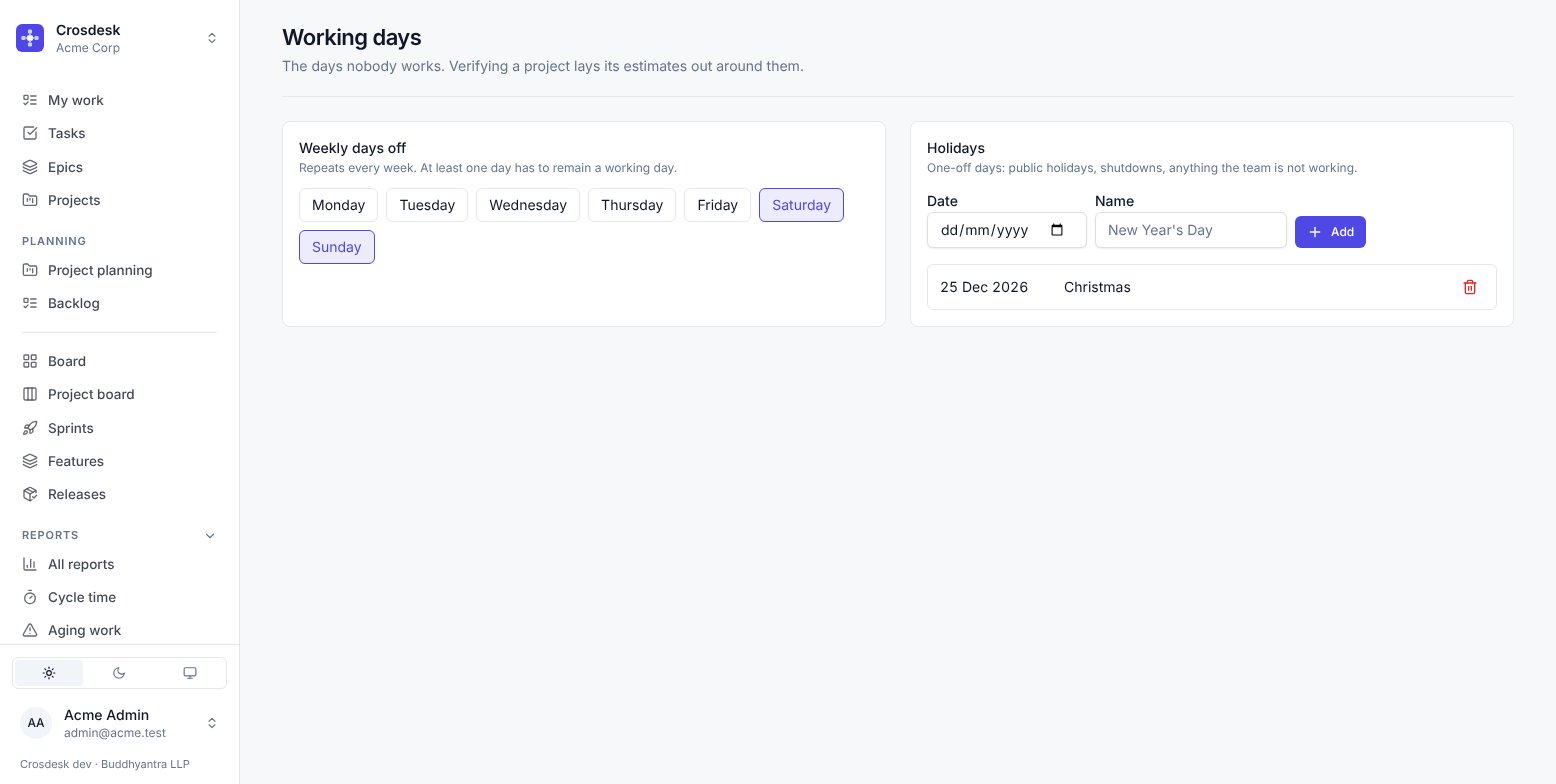
Weekly days off
Repeats every week. Saturday and Sunday by default.
At least one day must remain a working day, which is the only rule here. A calendar with no working days would make every plan infinitely long.
Holidays
One-off dates: public holidays, shutdowns, anything the whole team is not working. Each takes a date and a name — the name is for the person reading the list in six months wondering why the plan skips a Tuesday.
Removing a holiday asks you to confirm Remove holiday. The dialog explains that future verification uses the changed calendar; Cancel keeps the holiday.
What uses this
- Verify routes a project's dates around weekends and holidays, so a ten-day task starting on a Thursday finishes the Wednesday after next rather than ten calendar days later.
- Sprint length is counted in working days, so a sprint spanning a public holiday is correctly shorter.
- Overdue and spilling over are computed in working days, so nothing is called late over a weekend.
- Cycle time is reported in working days.
- Feature phase timelines lay a phase's steps out from its start date the same way, and measure how long each step actually took — so a step running over a weekend or a public holiday is not reported as having taken longer than it did. See Features.
A note on consistency
This is one calendar for the whole workspace, not one per department. If your departments genuinely work different weeks, this is the limitation to be aware of: the calendar reflects whichever pattern you set here.
Time zone
The workspace keeps time in one zone, chosen from Profile → Organisations by an administrator (the field beside the workspace's name; search by name, such as Kolkata, or by offset, such as +5:30). A new workspace starts in UTC. Each organisation in that list shows the zone it keeps, because each one has its own.
It decides two things, for everyone in the workspace at once:
- Which clock times are read on. When a comment was posted, when a release shipped, when an invitation runs out — on screen, in reports and in email — all in the workspace's zone, whatever zone your own computer is in. Two people in different cities read the same time on the same row. An invitation email names the zone beside its expiry, because the person invited may be somewhere else.
- When a day ends. Overdue, due today, the date reports group finished work by, and the "today" a forecast counts from all start at midnight in this zone, not at midnight in Greenwich.
Dates do not move. A task due on 2 November is due on 2 November in every zone. Start and due dates, sprint windows and holidays are days, not moments, and changing the zone never shifts them — only the times of things that happened.
Changing the zone is recorded in the audit log, with the zone it replaced.