Appearance
The backlog
What is waiting, and what each upcoming sprint has been committed to.
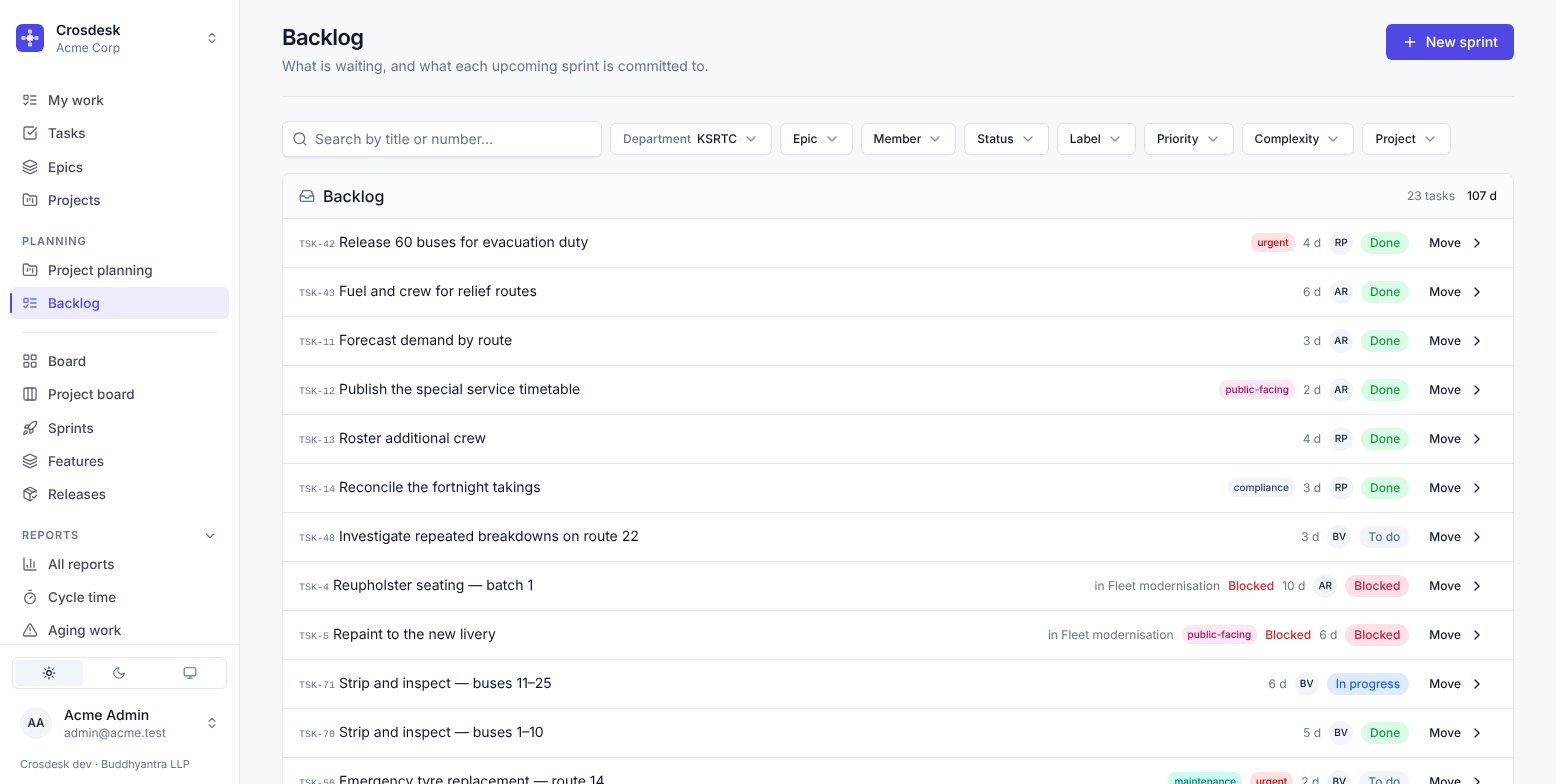
What it shows
One department at a time. At the top, the Backlog — everything not in a sprint, with a count and the total estimate. Below it, each upcoming sprint with what has been moved into it.
The totals are the point. "23 tasks, 107 d" against a sprint that is ten working days long tells you the answer before you start arguing about it.
Moving work
Move on any row puts it into a sprint or back to the backlog. Needs the sprint management capability.
Moving work into a running sprint is allowed but think twice — it is a change to a commitment already made, and it is what Unplanned work exists to keep honest. If the work arrived mid-sprint and was not part of the plan, put it there instead.
Filters
Department, epic, member, status, label, priority, complexity, project, feature phase. The project filter is the one people miss: it narrows the backlog to work from a single canvas, which is how you plan a sprint around finishing one project. Feature phase does the same for a feature's round — the tasks linked to its stages, converted from their issues, and their subtasks.
Creating a sprint
New sprint sets a name, a start date and an end date. Crosdesk counts the working days between them using the working days settings, so a sprint spanning a public holiday is correctly shorter.
A feature's work can be planned into your sprints step by step, with its plan beside it — see Planning a feature into sprints.