Appearance
Departments
Departments decide who can see which projects and tasks. They are the main organising idea in Crosdesk, not a security afterthought.
Administrators only.
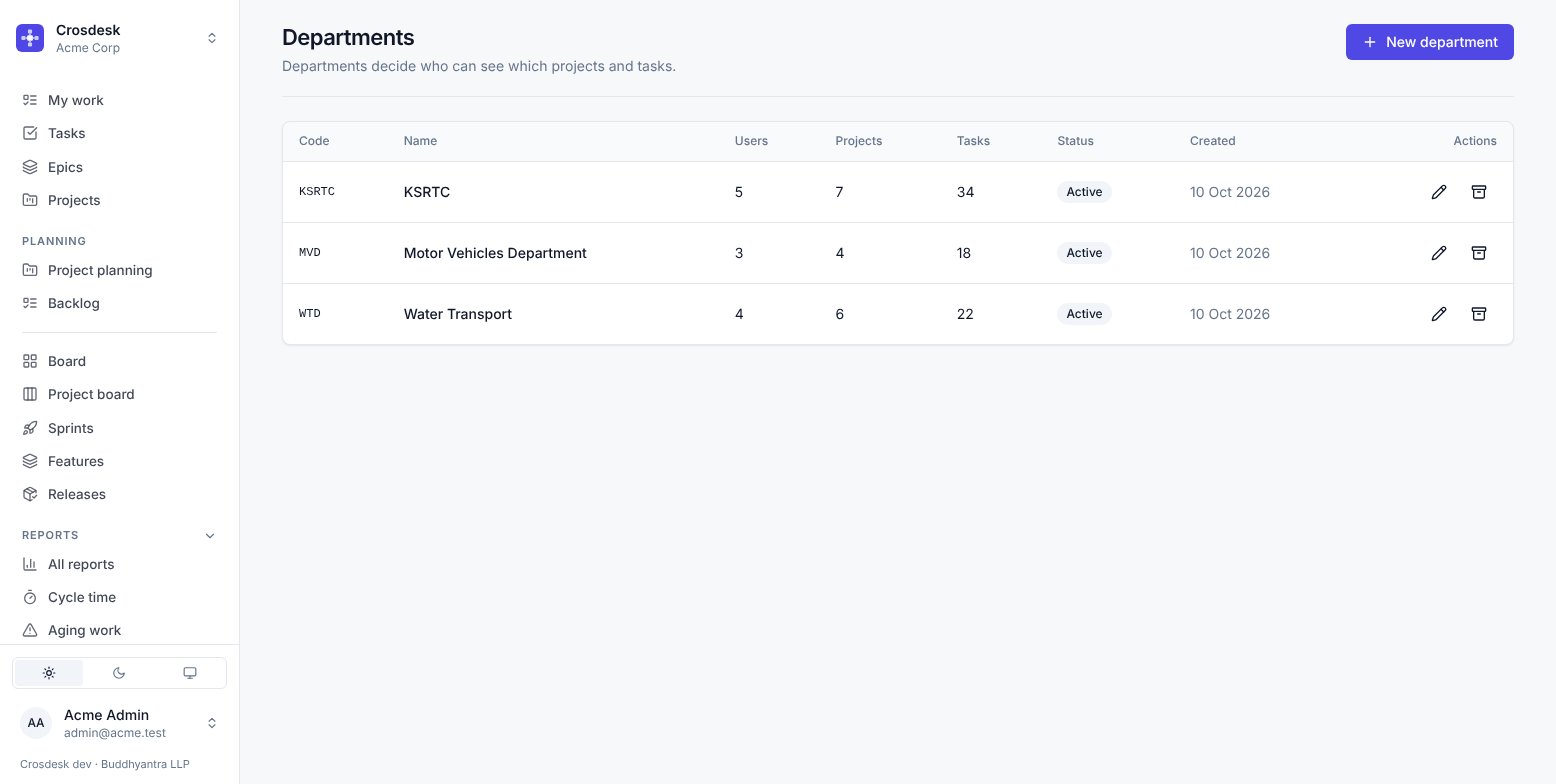
What a department has
- A code —
KSRTC,MVD,WTD. Short, because it appears as a chip on every row. - A name and an optional description.
- A status — Active or Archived.
The table shows how many users, projects and tasks each one holds, which is the quickest way to see whether a department is actually in use before you change it.
Creating one
New department. Choose the code carefully — it is what people will read a hundred times a day.
Archiving
Archiving takes a department out of circulation without deleting anything. Its history stays intact and its tasks remain readable. Use it when a department is reorganised away. Choose Archive, then confirm Archive department. Cancel keeps it active.
Deleting is not offered where work exists. A department with tasks against it cannot be removed, because doing so would silently orphan them.
What a department controls
- Which tasks a person sees — every task has exactly one department.
- Which projects — a project names one or more, and anyone in any of them can see the whole canvas, including tasks belonging to the other departments on it.
- Which sprints — a sprint belongs to one department.
- Which features — a feature names one or more.
- Which issues on a feature step a person can count.
Releases are the exception: everyone sees them, because a release is a statement about the whole workspace.
Related
- Departments and people — the user-facing view
- Groups and permissions — the other half of every decision