Appearance
Sprints and the board
A sprint is a commitment: this work, this window, this department.
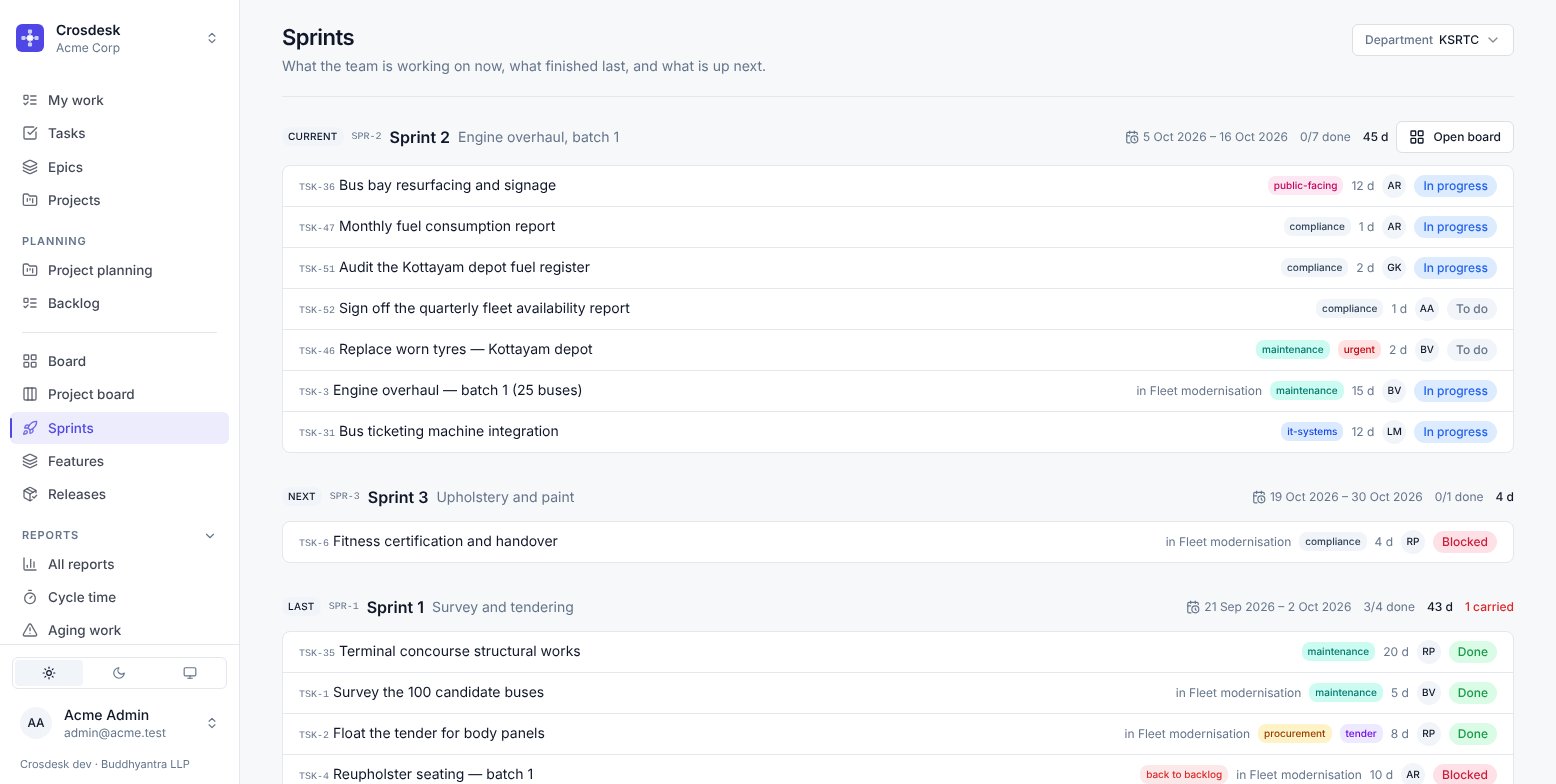
The Sprints page
Three sprints at once — current, next, last — because those are the three people ask about. Each shows its window, what it committed to and how much is done.
Creating, editing and ending sprints needs the sprint management capability. Everyone in the department can see them and work the tasks.
To fill a sprint from a feature's phases, use Feature planning.
The board
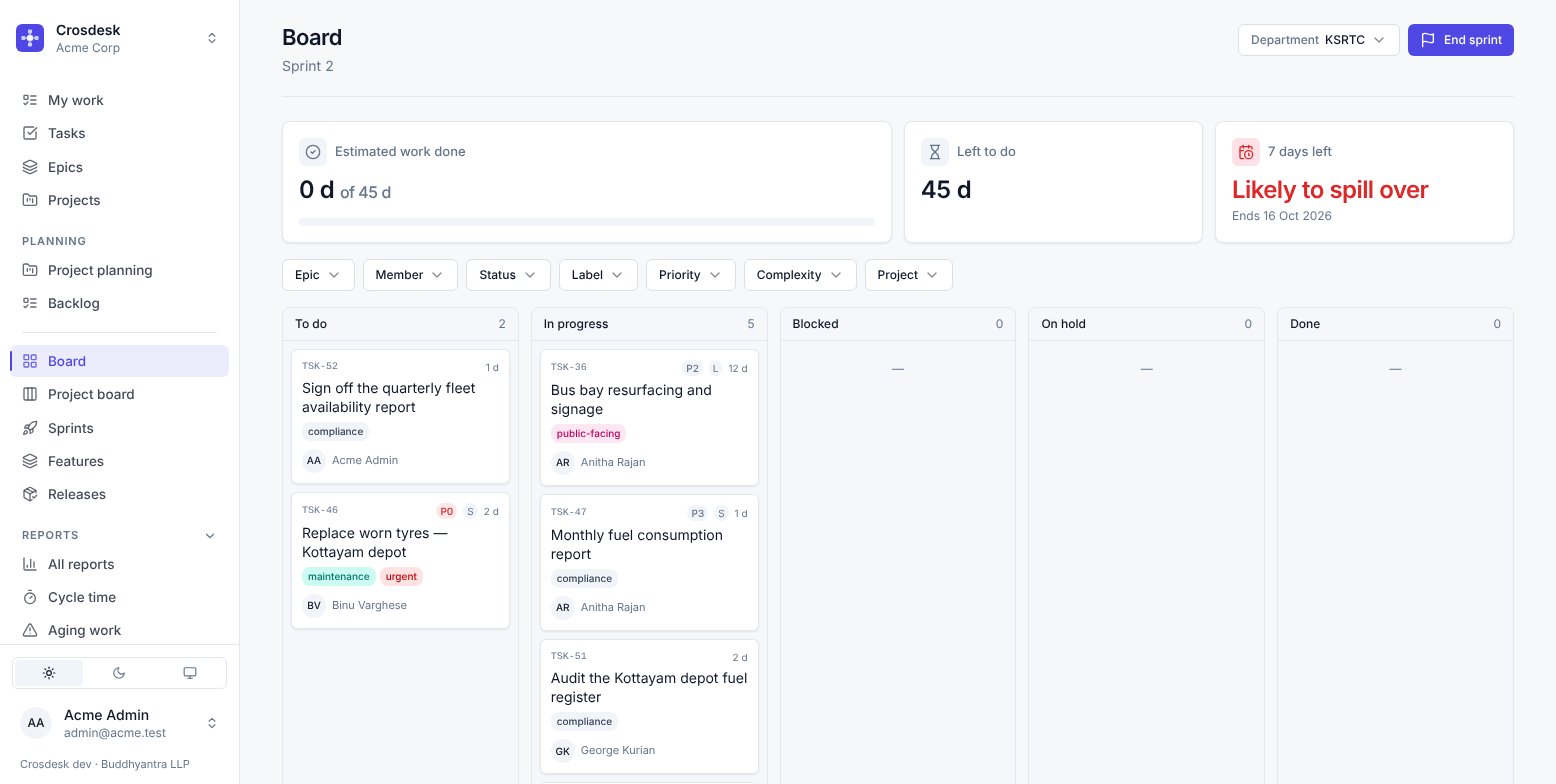
Five columns — To do, In progress, Blocked, On hold, Done — and the sprint's health across the top:
- Estimated work done, as a proportion of what was committed.
- Left to do, in working days.
- Days remaining, and a warning when the remaining work will not fit. Likely to spill over is not a guess: it is the arithmetic of days left against days of work left.
Drag a card to change its status. On a verified board you cannot drag a card out of Blocked — the plan decides that, and it clears when the work in front finishes. If a person has decided to stop, use On hold, which is the status for exactly that.
Filters: epic, member, status, label, priority, complexity, project. They narrow the Unplanned work section below as well, so the board never shows you a filtered top half and an unfiltered bottom.
Ending a sprint
End sprint is the moment Crosdesk records history. It:
- Takes a snapshot of every task — status, estimate, assignee — so later edits never rewrite what this sprint reports.
- Carries unfinished work forward to the next sprint, or back to the backlog. You choose.
- Records the unplanned work that was absorbed, then converts it to planned and clears the section. See Unplanned work.
- Marks the sprint Done.
The snapshot is why Velocity can be trusted months later. A finished sprint is a record, not a live view.
Project board
The same five columns for one project rather than one sprint. Use it when the question is "how is the Vytilla hub going" rather than "what are we doing this fortnight".
Feature board
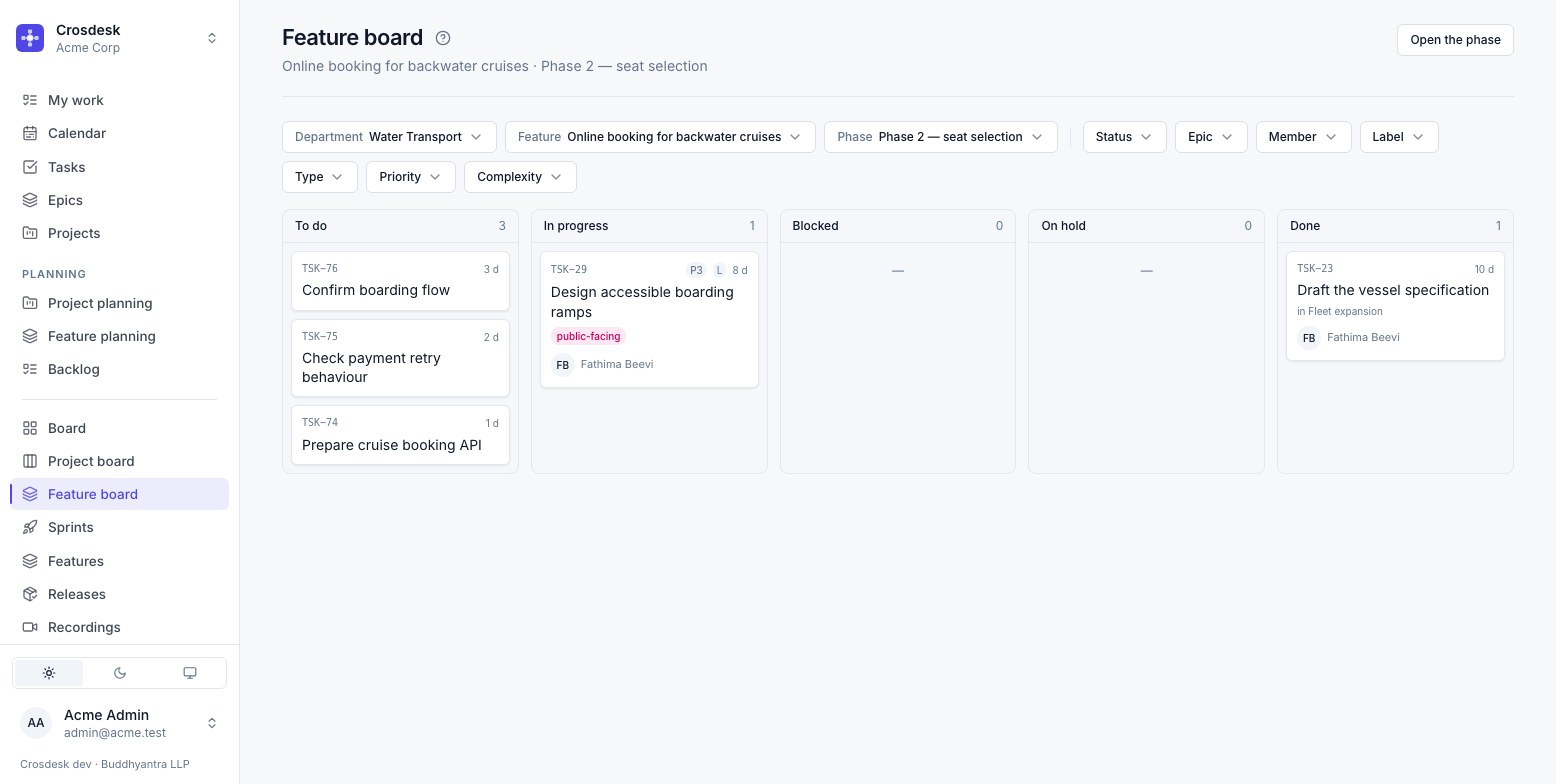
The same five columns for one feature phase. Choose a department, a feature and one of its phases still open; the board shows that department's tasks standing as work for the phase — linked to one of its stages, converted from a stage's issue, or a subtask of either. It is the same set feature planning plans.
A phase rather than a whole feature, because each phase runs the step list again: the board answers "where has this round got to". Unlike the project board, a Blocked card can be dragged, since a phase's work need not be on a canvas; one that is on a verified canvas is still held by its plan.