Appearance
Groups and permissions
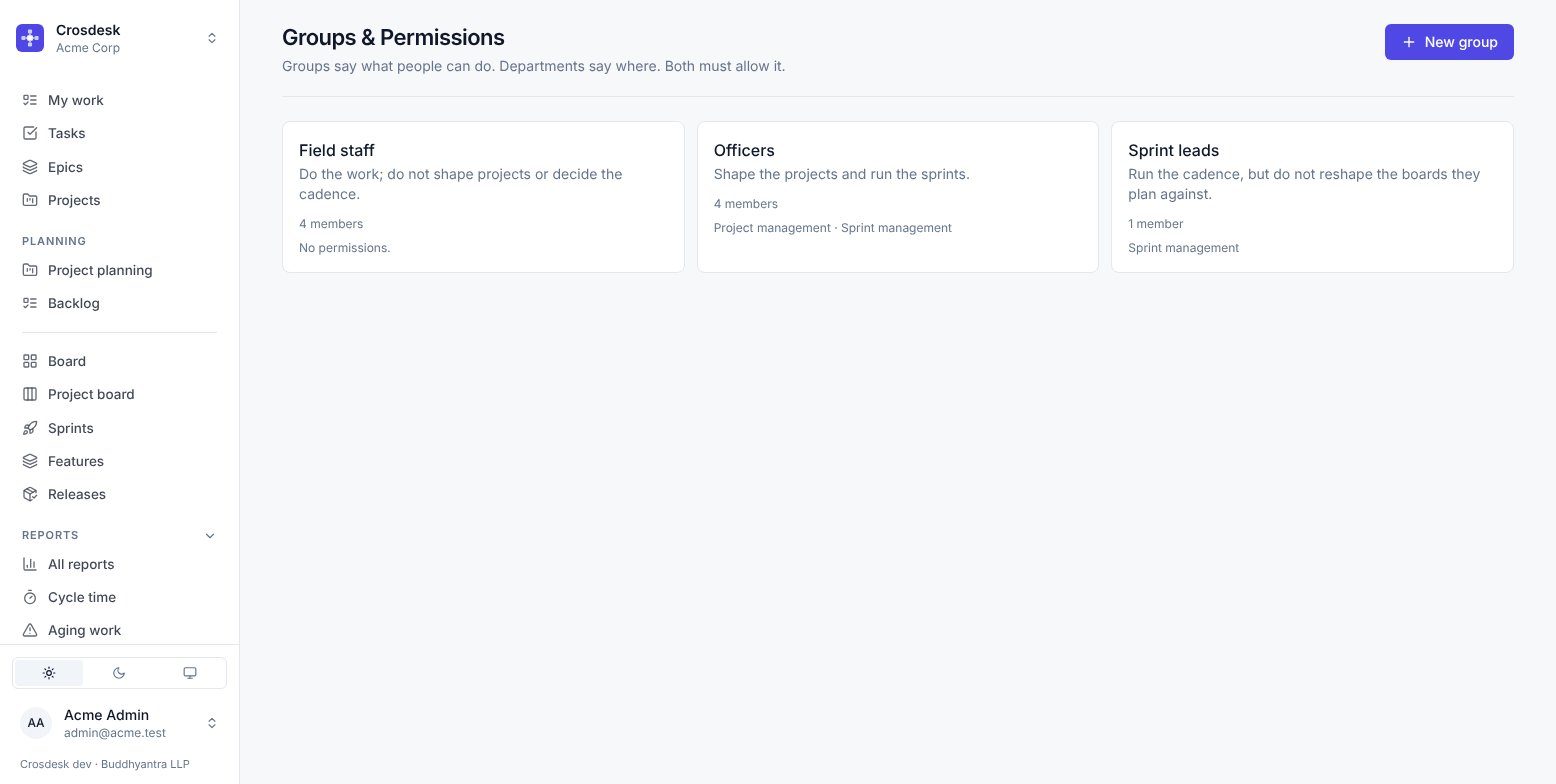
Groups say what people can do. Departments say where. Both must allow it.
Administrators only.
Two capabilities, and that is all
Crosdesk deliberately has very few permissions. There are two:
| Capability | Unlocks |
|---|---|
| Project management | Create and reshape projects, Verify a canvas, create features, add phases, create and ship releases, the Department scorecard |
| Sprint management | Create, edit and end sprints, move work between the backlog and a sprint, most reports |
Everything else — reading your departments' work, changing a task's status, commenting, attaching a file, logging an issue, linking a pull request — needs no capability at all. Doing the work of your own department is what everybody gets.
That is a deliberate choice. A long permission list reliably ends with somebody locked out of their own job, and the common fix is to give everyone everything.
The groups in the demo workspace
| Group | Capabilities | Who it is for |
|---|---|---|
| Officers | Project management · Sprint management | Shape the projects and run the sprints |
| Sprint leads | Sprint management | Run the cadence, but do not reshape the boards they plan against |
| Field staff | None | Do the work |
Field staff having no capabilities is the point of the group, not an oversight. Its members can already see their departments' work, pick up a task, change its status and put it in a sprint. What the group holds back is shaping a project and deciding when a sprint runs.
Creating a group
New group takes a name, a description and the two switches. The description matters — it is what the next administrator reads when deciding whether somebody belongs in it.
Add members from the group's own page, or from each person on the Users page.
To remove someone, use their remove button on the group's Members tab, then confirm Remove from group. The confirmation names the person and explains that they lose this group's permissions. Their account and other group memberships stay unchanged. Cancel keeps them in the group.
Deleting a group
Asks first, and says how many members are affected. Their accounts are untouched — they lose whatever this group granted them, which takes effect the next time they load a page.
Why a group is not a role
Groups are additive. Somebody in two groups has the union of both. There is no ordering and no group that overrides another, so there is never a question about which one wins.
Troubleshooting
"I am an administrator but I cannot see this task." Administration is a role, not a visibility grant. You see the work of the departments you are in. Add yourself to the department.
"I have project management but the Verify button is missing." Verify is on the canvas, and the canvas is only reachable for a project in one of your departments.
"Someone cannot end a sprint." They need sprint management, and they need to be in that sprint's department. Both.