Appearance
Departments and people
This is the page to read if something is missing and you cannot work out why.
Two separate questions
Crosdesk asks two questions before letting you do anything, and both must say yes:
| Question | Answered by | Example |
|---|---|---|
| Where may you act? | Your departments | You are in KSRTC, so you see KSRTC work |
| What may you do? | Your groups | You are an Officer, so you may shape projects |
Being in a department does not let you reshape its projects. Having project management does not let you see a department you are not in. This is why "I have admin rights but cannot see the task" is usually a department problem, not a permissions one.
Departments
A department is a real part of the organisation — in the demo workspace, KSRTC, the Motor Vehicles Department and Water Transport. Every task has exactly one. Every project has one or more.
A project can span departments. The Vytilla transport hub involves KSRTC building a concourse and Water Transport building the jetty that connects to it. One canvas, tasks in both departments, and each department sees its own.
What you can see
- Tasks in your departments.
- Projects that involve at least one of your departments — including the tasks on them that belong to other departments, because a plan you can only half-see is not a plan.
- Sprints for your departments.
- Features whose departments overlap yours.
- Releases — everyone sees these. A release is a statement about the whole workspace.
If something is missing
- Check the department filter. Most pages are filtered to one department, and it is the first of yours alphabetically unless you changed it.
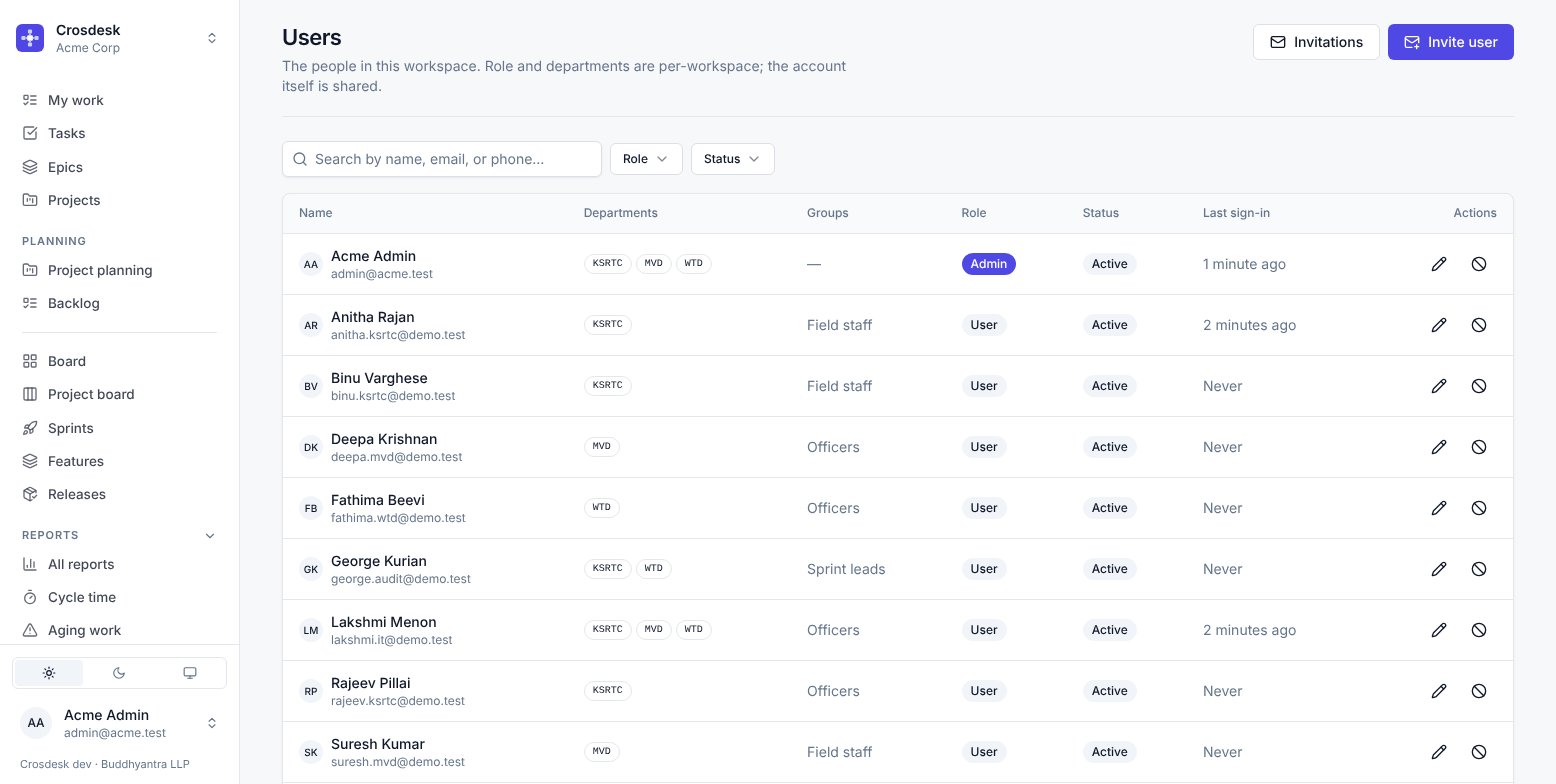
- Check you are in the right department. Your own name at the bottom of the sidebar shows your profile; an administrator can see your departments on the Users page.
- Check the page's own default. The Tasks page opens on Not in a project, which hides anything already placed on a canvas. Turn it off to see everything.
Roles
Separately from groups, each person has a role in the workspace: Admin or User. Admin unlocks the Administration section. Most people are Users, and capability comes from groups rather than role.
Related
- Groups and permissions — the two capabilities in full
- Departments — creating and archiving them